
Three days before launch, your plan lives in seven places. There's a Notion page with half a checklist. A Google Doc of email drafts you never finished. A Slack message to yourself with the Stripe test you forgot to run. Sticky notes around your monitor. A "launch ideas" note on your phone you haven't opened since January. You're the developer, the marketer, the QA team, and the support desk — all in one stomach-knotted person.
It's no surprise this is where solo launches go sideways. A CB Insights review of startup post-mortems tied a large share of failures to running out of cash and going to market wrong — not because the founder lacked effort, but because there was no system holding the pieces together. When you're the entire team, the dropped detail is usually the one that mattered.
You don't need more hands. You need a plan that builds itself, stays in one place, and keeps working after launch day. That's where the new Dotallio comes in.
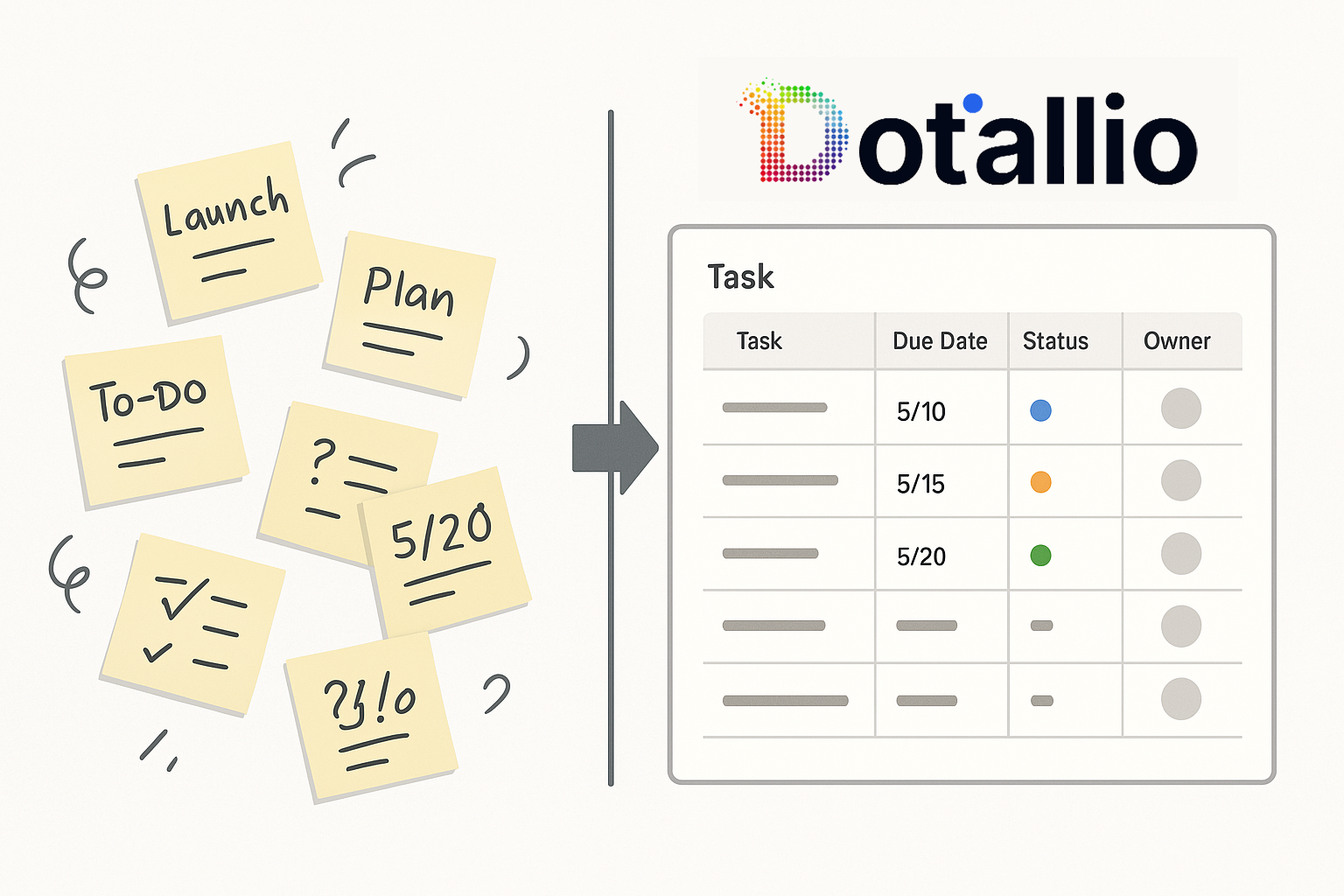
You don't build the launch plan. You describe it.
The old way of getting organized was its own project: pick a tool, design the board, name the columns, decide on phases, set up the views, and only then start the actual work. By the time the system was ready, you were already behind.
Dotallio flips that. You describe what you're launching in plain language, and Dotallio assembles the whole thing — the board, the columns, the phases, the sample tasks, the content drafts, the test checklist. Everything it generates is a real, editable, version-controlled artifact you can refine, roll back, and reuse for the next launch. You're not setting up a tool. You're talking to one that sets itself up around your launch.
Building your launch system in one chat
Here's what a real session looks like. Open the chat and start with the whole picture.
Create a product launch board for my solo SaaS launch in 3 weeks. Add phases for Pre-Launch, Launch Week, and Post-Launch, with columns for task, phase, priority, owner, status, and due date. Pre-fill it with the standard tasks a solo founder needs for each phase.
Dotallio builds the board: the right column types (a status column with real options, a date column for due dates, a priority column you can filter and sort), a Pre-Launch / Launch Week / Post-Launch structure, and starter tasks already slotted into each phase — final QA pass, payment-flow test, launch email sequence, Product Hunt assets, day-one support plan. You're editing a living plan, not staring at an empty grid.
Now go deeper on the part that usually gets winged — knowing exactly who you're launching to.
Research my top 3 competitors for [your product category], pull their main value propositions and pricing, and put them in a comparison table I can use to sharpen my own positioning.
This is where Smart Workflows earn their keep. Dotallio runs live web research, enriches the rows with what it finds, and hands you a comparison table as a versioned artifact. You read it, edit the angles that ring true, and now your launch messaging is grounded in what's actually out there instead of a gut feeling.
With positioning clear, draft the announcement content right inside the same workspace.
Draft my launch announcement as three versions — a launch-day email, a LinkedIn post, and a Twitter/X thread — each focused on the pain point of [specific problem your product solves]. Keep them in my voice: direct, no hype.
Dotallio produces an editable doc with all three, adapted to each channel's length and tone. Don't like the email's opener? Rewrite that selection with AI, keep the version history, and drop the final copy into your content-calendar board so it's tied to the right launch phase.
And for the part that quietly breaks launches — the tech:
Create a pre-launch technical checklist for a web app with Stripe checkout and email signup. Cover the signup flow, the purchase flow, broken-link and mobile checks, and what to do if checkout fails on launch day.
You get a tracked checklist board: each item with a status, space to log the bug you found, and the fix you shipped. No more crossing your fingers on the "Buy" button.
Keeping the plan alive — not a doc you abandon
The reason most launch checklists die is that they're static. You write them once, then reality moves and the doc doesn't. Dotallio's plan is the opposite: it's wired to keep working.
- AI-filled columns do the tedious enrichment for you. Add a "research note" or "best send time" column and let the AI fill it across every row at once instead of you typing into cells for an hour.
- Smart Workflows on a trigger. When a new feedback row lands in your post-launch board — submitted through a form or dropped in by you — a workflow can summarize it, tag the theme, and route it. You run these on demand, by a button, or on a board event; no babysitting required.
- Web research that refreshes your view. A week out, ask Dotallio to re-check a competitor's pricing page or pull fresh launch-channel ideas, and it updates the table.
- Versioned artifacts. Every email draft, comparison table, and checklist keeps its history. Roll back a bad rewrite, branch a new version for the next launch, and set visibility to private, your workspace, or a public link when you want a teammate or contractor to see it.
The plan you built in one chat keeps earning its place all the way through launch week and beyond.
A real-life run-through
Alex is launching an online course, solo. The old version of this story is sticky notes and 1 a.m. panic. Here's the new one.
Alex opens Dotallio and types: "Build me a launch plan for an online course going live in two weeks — pre-sale, launch week, post-launch — with tasks, owner, and due dates." The board appears, phased and pre-filled. Next: "Draft a 4-email waitlist sequence and 6 social posts to build pre-sale buzz." Dotallio writes the drafts as an editable doc; Alex tweaks two lines and schedules them via the content-calendar board it generated. Then Alex snaps a photo of a whiteboard covered in scribbled module ideas — Dotallio's vision OCR reads it and turns the mess into a structured curriculum list. Finally, a feedback board with a Smart Workflow that summarizes every early-student comment as it arrives.
Launch day, Alex is calm. The emails go out on schedule, the checkout works because it was tested off a real checklist, and feedback gets captured instead of lost. One early student writes back: "This felt so dialed-in — I assumed you had a whole team." Alex had a chat window and a blue dot named Dot.
Why this is better
- No setup tax. You describe the launch; Dotallio builds the board, the docs, the tables, and the checklists — in one conversation.
- One source of truth. Tasks, research, copy, and tests live together as connected artifacts, not scattered across five apps.
- Real research, not guesswork. Live web research and AI enrichment ground your positioning and your messaging.
- It stays alive. Triggered Smart Workflows, AI-filled columns, and versioned artifacts keep the plan useful through launch week and after.
- You stay in control. Everything is editable and version-controlled — refine it, roll it back, reuse it for the next launch.
- Team-grade polish, solo. You launch with the structure of a full team because the structure builds itself.
You've already done the hard part — you made the thing. Don't let launch chaos be what people remember. Describe your launch to Dotallio, watch it assemble the system in minutes, and spend launch week shipping instead of scrambling. Your next launch can feel like you had backup, because you did.